
Google Business Profile Checklist for Contractors: 15 Fixes That Get You More Calls
When a homeowner needs a contractor, most of them don’t scroll through websites. They search, look at the three businesses on the map, and call one. Your Google Business Profile is what decides whether you’re one of those three.
Most contractors set up their profile once and never touch it again. That’s good news for you, because it means a well-maintained profile can beat competitors who have been in business longer.
This is the checklist we use when we take on a new contractor client. Work through it with your profile open, and you’ll fix most of what’s holding you back.
How Google Decides Who Ranks
Google ranks local businesses on three things:
- •Relevance: How well your profile matches what someone searched.
- •Distance: How close you are to the searcher or the town they searched.
- •Prominence: How well-known and trusted your business is, based on things like reviews, links, and your website.
You can’t change where your business is based, but you can control relevance and prominence. Every item below improves one of the two.
The Basics
1. Use your real business name
Your profile name should match your signage, truck wraps, and paperwork. Adding keywords like “Smith Excavation | Best Drainage Contractor Portsmouth” breaks Google’s rules and is one of the top reasons why profiles get suspended. If you want to rank for “drainage,” that belongs in your categories, services, and website, not your name.
2. Pick the right primary category
Your primary category is one of the strongest signals you control. Choose the one that matches the work you want most, like “Excavating Contractor,” “Roofing Contractor,” or “Plumber,” not something broad like “Contractor.”
3. Add every relevant secondary category
You can add more categories beyond your primary one. If you also do grading, drainage, or land clearing, add the categories that match. Only add ones for work you actually do.
4. Set up your service area correctly
If customers don’t come to your shop or office, Google requires you to hide your address and list your service areas instead. You can add up to 20 cities or ZIP codes, and they should stay within about two hours of where you’re based. Don’t max out the list just because you can. Pick the towns you actually want work in. Showing an address customers can’t visit is one of the most common reasons why profiles get suspended.
5. Keep your name, phone, and website consistent
Use the same business name and phone number everywhere: your profile, website, Facebook, and directories. Link your profile to the most relevant page on your website, not just a generic homepage if you have a better page.
Your Profile Content
6. List every service individually
Don’t stop at “Excavation.” Add each service separately, like site prep, foundation digging, drainage, septic, driveways, and land clearing, with a short description for each. This helps Google match you to more specific searches.
7. Write a real business description
You get 750 characters. Use them to say what you do, the towns you serve, and what makes you different. Write it for a homeowner, not for Google. No links, prices, or promotions.
8. Keep your hours accurate
Wrong hours lead to missed calls and frustrated customers. Update them for holidays and seasonal changes.
Photos
9. Upload real job photos
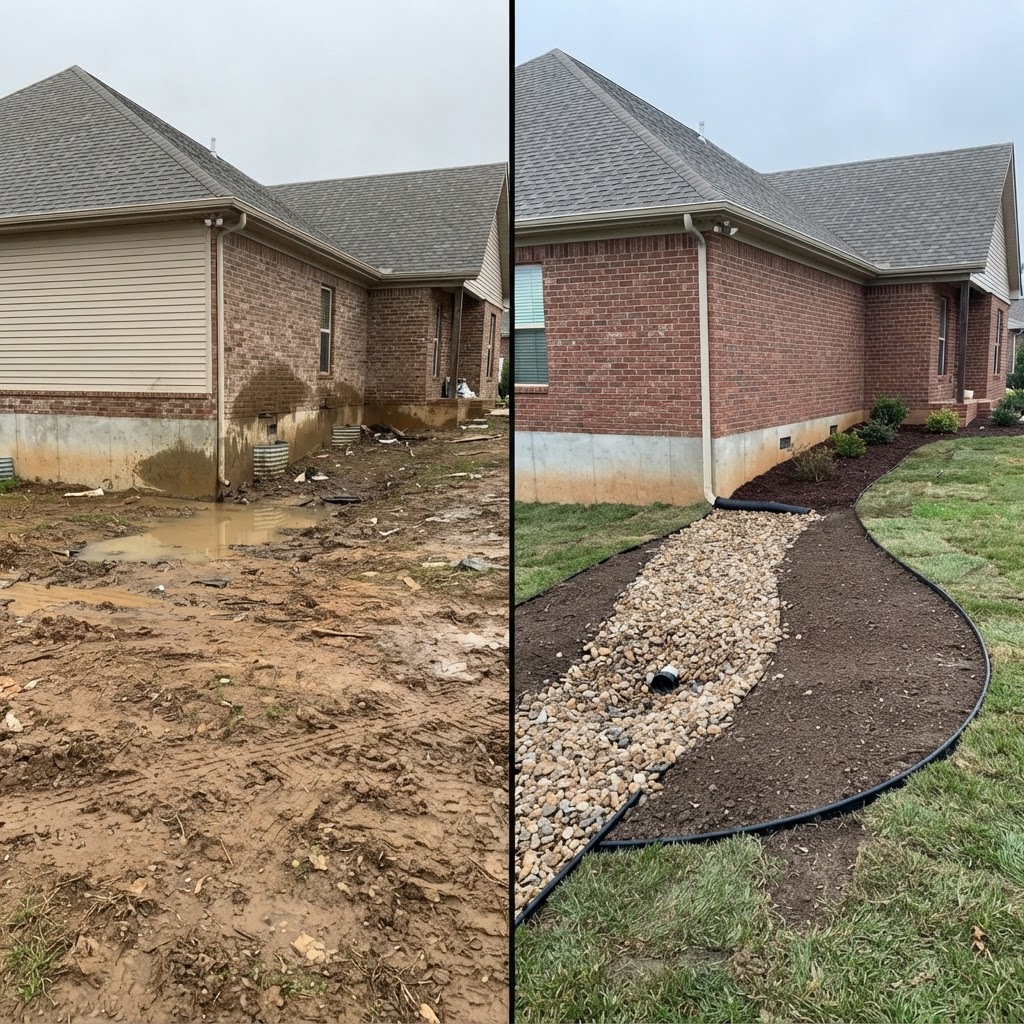
Homeowners want to see your work. Post finished projects, before-and-afters, your crew, and your equipment. Never use stock photos. People can tell, and it makes you look like everyone else.
10. Add new photos regularly
A profile with recent photos looks active, and an active business looks trustworthy. The easiest habit: snap a few photos at the end of every job and upload them that week.
Reviews
Reviews are a big part of prominence, and they’re the first thing homeowners read. For a full playbook, see How To Get More Google Reviews.
11. Ask every happy customer
The best time to ask is right when the job wraps up and the customer is happy. Text them a direct link to your review page so it takes 30 seconds.
12. Respond to every review
Thank people for positive reviews. Respond to negative ones calmly and professionally. Future customers read your replies, and a good response to a bad review can win you more trust than a five-star review.
13. Never buy, trade, or filter reviews
Don’t pay for reviews, offer discounts for them, or only ask customers you know are happy while steering others away. All three break Google’s rules, and Google actively removes fake reviews.

Stay Active
14. Post updates
Google lets you post updates directly to your profile. Share finished projects, seasonal reminders, or new services. Mentioning the service and town in your posts (“Just wrapped a drainage project in Dover”) reinforces what you want to rank for.
15. Back up your profile with your website
Your profile and website work together. If you want to rank for drainage in Exeter, it helps a lot to have a page on your site about drainage, and service area pages for the towns you work in. A strong profile with a weak website usually hits a ceiling. Our Contractor SEO guide goes deeper on this.
What Changed in 2026: Google’s AI Is Answering Questions About You
Google removed the Questions and Answers section from Business Profiles. In its place, Google Maps now uses AI to answer customer questions about a business, like “Do they do drainage work?” or “Do they serve Rye?”
You can’t write those answers yourself. The AI builds them from what’s already out there, including your profile, your reviews, and your website. That makes the items above more important than ever. Detailed services, reviews that mention the work you did, and a website that clearly explains what you do are what feed those answers.
What This Looks Like in Practice
When we took on a San Diego excavation contractor, they had no website and almost no presence on Google. We built their website, fully optimized their Google Business Profile, and kept it active with photos, posts, and reviews. Within about 90 days they were ranking for over 200 keywords and getting inbound calls. After four months of SEO, they had landed more than $55,000 in jobs.
None of it was a trick. It was the checklist above, done properly and kept up every month.
Frequently Asked Questions
How long does it take to rank higher on Google Maps?
Fixing your profile can help within a few weeks, but most contractors see real movement in three to six months. It depends on your competition and how much work your profile and website need.
Do I need a website if I have a Google Business Profile?
Yes. Your profile gets you on the map, but your website builds relevance and trust. It also gives Google's AI more information to pull from when answering questions about your business.
Can I rank in towns I'm not based in?
It's harder because distance matters, but it's possible. Listing the town as a service area helps, but a dedicated page on your website for that town usually makes the bigger difference.
Should I show my home address on my profile?
If customers don't come to your address, no. Google requires you to hide it and list service areas instead.
Can I do this myself?
Yes. Everything in this checklist can be done yourself. The hard part is keeping it up every week while running jobs. That's where we come in.
Recommended
Want Us to Check Your Profile?
Send us your business name and we’ll review your Google Business Profile against this checklist and tell you what’s holding it back. No cost, no pressure.