
Contractor Website Design: 7 Elements That Turn Visits Into Booked Jobs
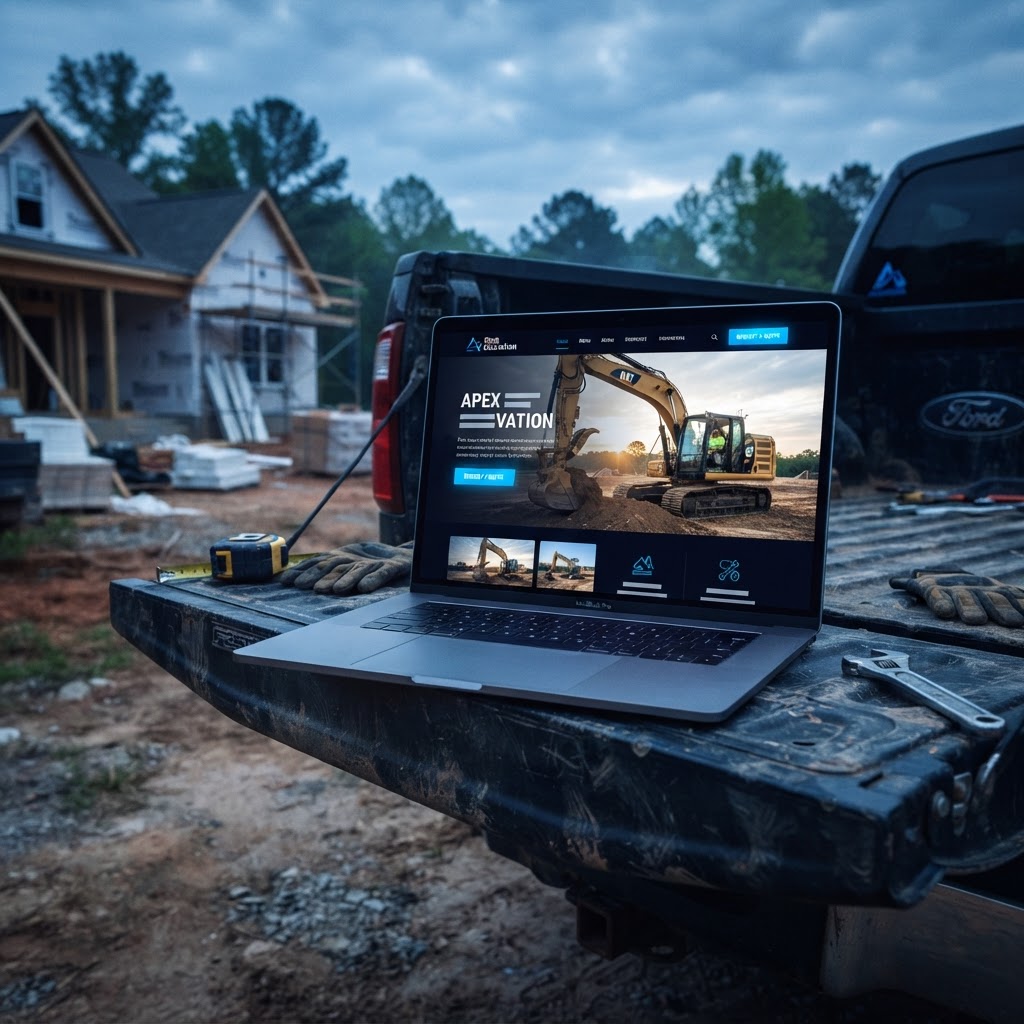
Most contractor websites aren't broken — they're forgettable. They load a logo, list some services, and wait. The sites that actually book jobs are built to a different standard: every element exists to move a stressed, phone-holding homeowner from "is this company legit?" to "I'm calling them" in under thirty seconds. Here are the seven elements that do it.
TL;DR
- •A contractor website exists to produce calls and booked estimates — design decisions should be judged by that standard alone.
- •Mobile-first matters most: most emergency and near-me searches happen on a phone, and slow pages get abandoned in seconds.
- •One dedicated page per core service, each with its own keyword target, outperforms a single generic services page.
- •Real job photos and genuine reviews convert better than stock imagery and marketing copy.
- •Sites start at $497 for a one-pager, with a free preview before you commit to anything.
Why Most Contractor Websites Don't Book Jobs
The typical contractor site fails in one of two directions. Either it's a template with stock photos and vague copy that tells a homeowner nothing, or it's a sprawling legacy build where the phone number hides three clicks deep. Neither converts, and neither ranks. The fix isn't more pages — it's the right pages, engineered around how buyers actually search and decide.
The 7 Must-Have Elements
1. A mobile-first build, not a desktop site shrunk down
Most of your best traffic — emergency searches, near-me searches, referral checkouts — happens on a phone. Google evaluates your mobile site as the primary version. If your service list or contact info is hidden behind a collapsed menu that never loads into the page, Google's crawl never sees it and your rankings quietly suffer.
2. A click-to-call button visible without scrolling
Your phone number should be tappable within one second of landing. Contractors who bury contact info behind a Contact page lose the highest-intent visitors — the ones already holding a phone and ready to call. Repeat the button after every major section.
3. One dedicated page per core service
"Services" pages that list twenty trades on one URL dilute relevance signals and confuse buyers. One page per service — panel upgrades, driveway excavation, roof replacement — lets each page target the high-intent keyword that matches it and gives buyers exactly the scope, pricing cues, and FAQ answers they need.
4. Real job photos, never stock imagery
Homeowners can smell a stock photo of a "contractor" in a hard hat instantly. Real photos of your crew, your equipment, and finished work build the trust that books jobs — and they feed your Google Business Profile with the visual proof that lifts click-through from the map pack. A drone or ground content shoot supplies months of this material in one visit.
5. Reviews and trust signals on every page
Embed genuine customer reviews on the homepage and every service page. Pair them with licensing numbers, insurance details, and membership badges. These signals close the trust gap before the first phone conversation.
6. Speed that meets Core Web Vitals targets
LCP under 2.5 seconds, INP under 200 milliseconds, CLS under 0.1. A homeowner searching "emergency contractor" at 11 PM abandons a slow page in seconds. Compressed images, deferred scripts, and caching are table stakes — not polish.
7. A quote form that takes under 60 seconds
Ask for name, phone, and what they need — nothing else at first. Every additional field cuts completion rates. Follow up with a booking link and text confirmation so the lead never goes cold.
Pro Tip: Judge every design decision by one question: does this make a homeowner more likely to call? If a feature exists only because a template included it, cut it.
How Much Does Contractor Website Design Cost?
Traditional agencies quote five figures and six-month timelines. Contractor-focused builds are different: sites start at $497 for a one-pager that gets a single-trade business live and credible fast, while multi-page builds suit contractors offering several distinct services that each deserve their own ranking page. Every engagement starts with a free site preview — you see the design built around your trade before you commit. See what's included in a website build for the full breakdown.
Real Results: What These Elements Do In Practice
The pattern isn't theoretical. A fast, mobile-first rebuild paired with a fully managed Google Business Profile and real job content produced $55,000 in new jobs within four months for one excavation contractor, with 7 new job requests in 2 months for another. The common thread: clean structure, click-to-call simplicity, real photography, and pages matched one-to-one to the services buyers search for. Read the contractor SEO guide for how design and search work together.
DIY Website Builders vs. A Contractor-Focused Build
DIY builders aren't evil — they're generic. Four common failure points when contractors use them:
- •Generic templates built for restaurants and salons, repurposed with a hard hat photo.
- •Slow load times from bloated themes that never meet Core Web Vitals targets.
- •No guidance on the keyword-to-page structure that makes service pages rank.
- •A site that looks fine and converts nobody — with no measurement connecting it to calls or bookings.
A contractor-focused build starts from your trade, your service area, and your real jobs, with the keyword-to-page structure and speed targets baked in from day one — plus reporting that connects the site to calls and bookings.
Key Resources For Verifying Web Design Best Practices
FAQ
How much does a contractor website cost?
Contractor-focused websites from AnchorPoint Media start at $497 for a one-pager and scale up for multi-page builds with dedicated service pages, galleries, and booking flows. Every engagement starts with a free preview so you see the work before committing.
Do contractors need a website or just a Google Business Profile?
You need both. The profile gets you into the map pack, but a fast, mobile-first website is where you convert that visibility into booked estimates — and service pages are what rank you for the high-intent searches the map pack doesn't cover.
What should a contractor homepage include?
A clear headline naming your trade and service area, a click-to-call button visible without scrolling, proof (reviews or job stats), real job photos, a short list of core services with links to dedicated pages, and one primary call to action repeated down the page.
How many pages should a contractor website have?
Start with a homepage, one dedicated page per core service, an about page with licensing and insurance details, a portfolio or gallery, and a contact page with a quote form. A one-pager works for a single-trade business; multi-service contractors need the extra service pages to rank.
How fast can a contractor website go live?
A contractor-focused build can go live in days rather than the months a traditional agency takes, because it starts with a free preview built around your trade, service area, and real job photos.
See What A Contractor-Built Site Looks Like
Every engagement starts with a free site preview built around your trade.
Call 207-216-3956